
Hog PC Installer Error 0x80070666 - Another version of product already installed
Issue
When attempting to install an older Hog PC version or build over a newer installed version, the installation process stops and displays a prompt requiring removal of the currently installed version.
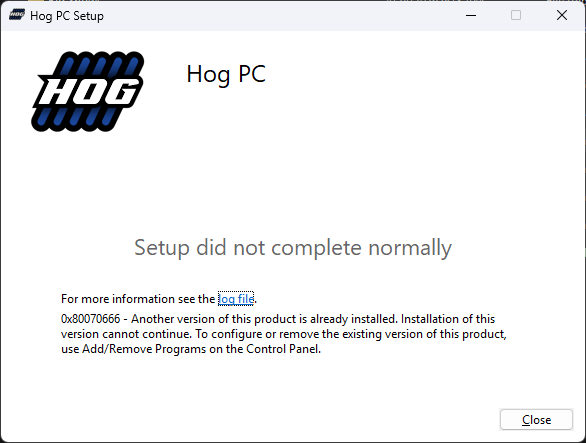
Example scenario: Installing Hog PC v5.3.0 when Hog PC v5.4.0 is already installed.
Explanation of Issue
This error often occurs when attempting to downgrade Hog PC to an older version. This issue is not likely to occur when upgrading Hog PC to a newer version or when installing Hog PC on a Windows PC that does not already have Hog PC installed.
Solution
To install an older Hog PC version or build:
-
Open Windows Apps & Features (or Programs and Features).
-
Uninstall the currently installed Hog PC version.
-
Run the installer for the desired older version or build.
-
Complete the installation normally.