How to Force All Outputs to Full on EchoDIN Processor
Description
You may find it necessary to turn on all outputs of a panel to full, or 100%. This can be done easily on the processor.
Fix/Solution
The below process only works if the processor in your panel is an E-PCP Mk1 running software version 3.0.0 or higher. The software version can be seen on the home screen in the bottom right corner. Ex:The images below are from a processor running software version 3.1.2.
As of software 4.2.0, this feature has not been implemented in E-PCP Mk2.

- Locate the button on the processor to the right of the LCD screen with the image of a light bulb on it.
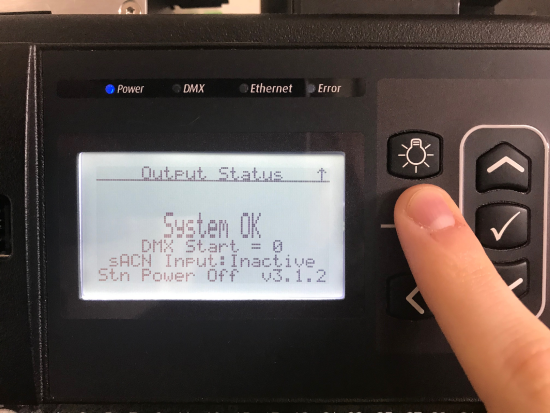
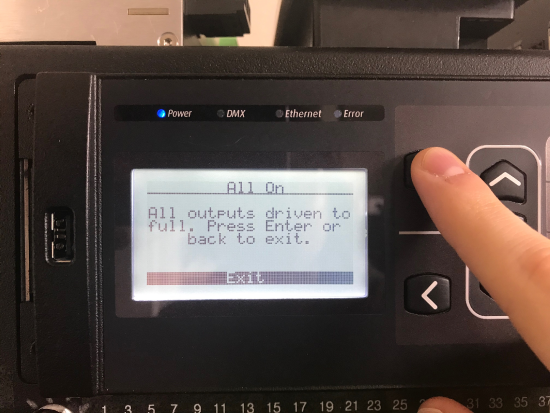
- Press and hold this button for a full 5 seconds, at which time all loads will switch on and output at 100% and the LCD screen will read: "All On. All outputs driven to full. Press Enter or back to exit."