
Controlling Extended Parameter Fixtures within Pharos Express Software
Setup
Pharos Express 1.2.0 or later is required to control fixtures with extended parameters.
Add a fixture to the Canvas.
In this example, we'll be using a High End Systems SolaFrame 3000 Enhanced in 51 channel mode.
Control
Patch the fixture and create a Dynamic Scene.

With the fixtures selected, navigate to the Tools menu of the work space and click the "Show More" arrow.

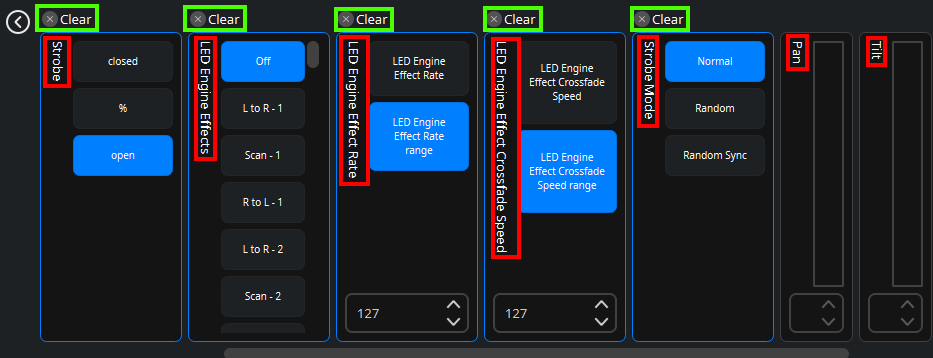
Clicking this arrow will show any non-intensity parameters (Zoom, Shutter, Gobo, Pan, Tilt, ect) that can be controlled (outlined in red).
Parameters you do not wish to control can be 'knocked out' by clicking the "X" (outlined in green).
Once you've completed your edits, save your changes by clicking the the green check mark located in the Tools Menu or right hand Toolbar. Clicking the red X will discard any changes without saving.
